
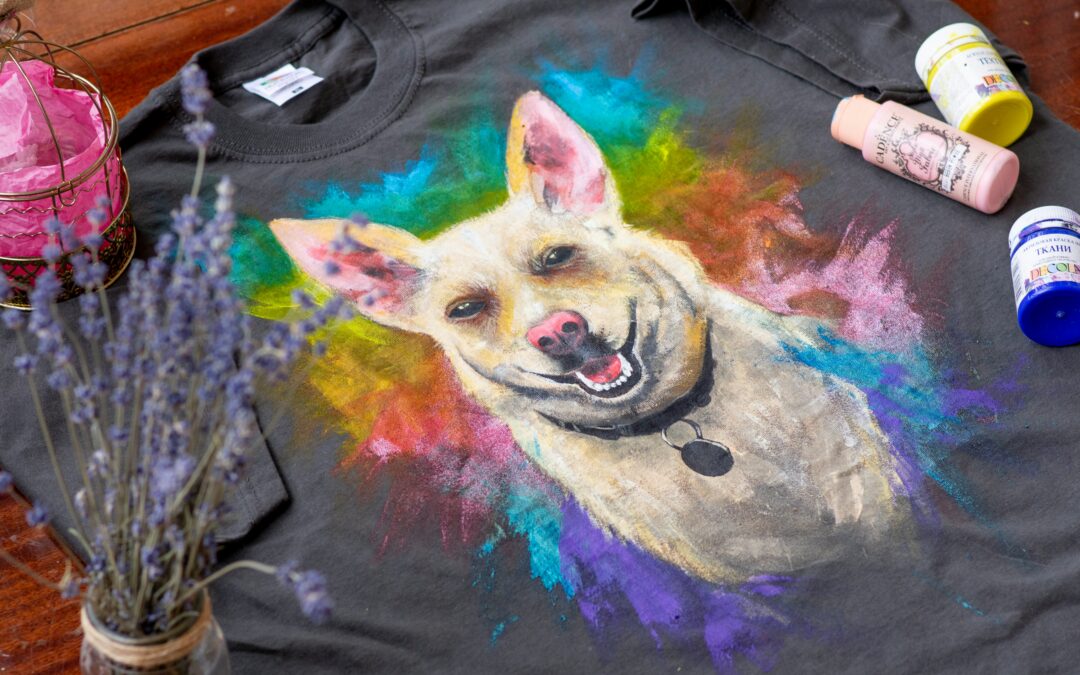
So you typed a description of your rescue into an AI image generator, and it created the most gorgeous, detailed illustration of a dog cradled in gentle hands with a watercolor sunset that made your entire volunteer group cry happy tears in the group chat.
There’s just one problem: your t-shirt printer can’t use it. Your web designer is quietly spiraling. And when you shrink it down for your Facebook profile picture, it turns into an unrecognizable blob.
AI is an incredible tool for animal rescue logo design — but if you don’t know what to ask for, you’ll end up with a beautiful image instead of a functional logo. And there’s a big difference. Let’s break down what makes a great animal shelter logo, the common mistakes to avoid, and then give you a ready-to-go prompt you can paste right into Claude to generate something that actually works everywhere you need it.
Why Your Rescue’s Logo Matters More Than You Think
Before you generate anything, think about all the places your logo has to show up in a single week of running a rescue:
- Your website header and that tiny favicon in the browser tab
- Social media profiles, adoption posts, and fundraiser graphics
- Volunteer and foster t-shirts, hoodies, and tote bags
- Adoption event banners and flyers at PetSmart or your local park
- Fundraiser merch — mugs, stickers, car magnets, koozies
- Donation pages, email signatures, and newsletters
- Embroidery on staff and volunteer polos
- Kennel cards, intake paperwork, and microchip registration forms
That’s a lot of places. Your logo needs to look just as clear stitched onto a hat as it does on a 6-foot banner at your next Clear the Shelters event. A complex watercolor illustration with 14 colors and fine shading is not going to survive that journey.
What Makes a Great Animal Rescue Logo
How many colors should a rescue logo have?
Stick to 2-3 colors maximum, and you’ll thank yourself later. Fewer colors mean cheaper screen printing for volunteer shirts, easier embroidery, and consistent reproduction whether your logo is on a mug, a banner, or a website. Research shows that up to 90% of snap judgments people make about a brand are based on color alone — so pick your 2-3 wisely. Warm, approachable colors like soft blues, greens, and warm oranges tend to work beautifully for animal rescue branding because they evoke compassion and trust.
Why simplicity beats detail every time
The most recognizable logos in the world are the simplest — think Nike’s swoosh or Target’s bullseye. The human brain processes simple designs faster, which means instant recognition. For your rescue, that means when someone sees your logo on a car magnet while sitting in traffic, they remember you when it’s time to adopt or donate.
A simple logo with clean, flat shapes and bold lines also works in more places. Fine details, gradients, and photorealistic elements look amazing on a screen but get completely lost when screen printed, embroidered, or engraved. If your logo looks good as a silhouette, you’re on the right track.
A good test: can you describe your logo in one sentence? “A paw print inside a heart with our name underneath” is a logo. “A photorealistic golden retriever sitting in a field of wildflowers with a sunset and cursive text overlay” is an illustration.
Does my logo need to work in black and white?
Yes, absolutely. A strong logo should be recognizable even without color. Many print jobs are single-color — think newspaper ads, receipt paper, single-color screen printing (which is the most affordable option for volunteer shirts), rubber stamps, and faxes. If your logo falls apart without its colors, it needs to be simplified. Every rescue should have a full-color version, a single-color version, and a black-and-white version of their logo.
What makes a good logo for merchandise?
The best logos for merch use flat, bold shapes with clean edges and minimal detail. Screen printing works best with solid areas of color — no gradients, no shadows, no tiny lines that fill in with ink. Embroidery machines struggle with fine details and need clear, simple shapes to stitch cleanly. If you’re dreaming of volunteer hoodies and adoption event tote bags (and you should be), design your logo with those in mind from the start. A logo that works on a t-shirt will work everywhere else too, but the reverse isn’t always true.
Common Mistakes Rescues Make with AI-Generated Logos
AI image generators are powerful, but they have tendencies that work against good logo design:
Way too much detail. AI wants to impress you. It’ll add gradients, shadows, intricate fur textures, and photorealistic eyes because it looks stunning on your monitor. All of that complexity falls apart the moment you try to print it on a tote bag or shrink it for a social media avatar.
Mangled text. AI is notorious for generating misspelled or garbled text. Always check that your rescue’s name is spelled correctly — letter by letter, every single time. “Furever Friends Rescue” can easily become “Furver Freinds Rscue” if you’re not careful.
Raster files only. This is a big one. AI generators output .jpg or .png files, which are made of pixels. Scale them up for a banner and they turn into a blurry, pixelated mess. What you really need for print and professional use are vector files (we’ll cover those below).
Poor contrast. AI sometimes creates logos where the text blends into the background or colors are too similar to tell apart. Your logo needs to be readable at a glance — someone scrolling past your adoption post shouldn’t have to squint.
The “template look.” AI pulls from existing designs and trends, which means your rescue’s logo might look suspiciously similar to three other rescues in your area. Be specific in your prompts about what makes your rescue unique.
Copyright gray area. It’s worth knowing that AI-generated images exist in a legal gray area when it comes to copyright protection. In many jurisdictions, AI-generated content doesn’t meet the requirements for copyright because it wasn’t created by a human. For most rescues this is fine — but it’s something to be aware of.
Logo File Types Explained: What You Need and Why
This is the part that makes most rescue volunteers’ eyes glaze over — but stick with me, because handing your printer the wrong file type is one of the most common (and avoidable) headaches.
What file types do I need for my logo?
At minimum, you need your logo in these formats: SVG for your website, PNG with a transparent background for social media and digital use, EPS or PDF for print vendors, and a small favicon version for your browser tab. If you can also get an AI (Adobe Illustrator) source file, that’s the master key — every other format can be generated from it.
Here’s what each one actually means:
- SVG (Scalable Vector Graphics) — The gold standard for websites. It uses math instead of pixels to draw your logo, which means it scales to any size without ever getting blurry. Your web designer will be thrilled.
- PNG (transparent background) — For social media posts, email signatures, placing your logo over photos, and presentation slides. The transparent background means no awkward white box when you put it on a colored background.
- PNG (solid background) — A backup for platforms that don’t support transparency.
- EPS (Encapsulated PostScript) — The print industry standard. This is what your t-shirt vendor, banner company, and merch printer will ask for. It’s vector-based, so it scales perfectly.
- PDF — More and more printers prefer this format. Great for flyers, signage, and business cards.
- Favicon — That tiny icon in the browser tab next to your website name. Usually 16×16 or 32×32 pixels — a simplified version of your full logo.
What’s the difference between RGB and CMYK?
RGB (Red, Green, Blue) is how screens display color — your computer, phone, and TV all use it. CMYK (Cyan, Magenta, Yellow, Black) is how printers mix ink. If you send an RGB logo file to a printer, your beautiful teal might come out as a muddy blue-green. A complete logo package should include versions in both color modes so you’re covered for digital and print.
How to Use AI to Create Your Rescue Logo the Right Way
AI can absolutely help you create a solid animal rescue logo — you just need to tell it the right things. The prompt below is designed to steer Claude away from all the common pitfalls we just covered: too much detail, too many colors, no thought for print or merch.
Just replace the bracketed sections with your rescue’s information and paste it into Claude:
Copy and paste this prompt into Claude:
I need you to design a logo for my animal rescue organization. Please follow these specific design requirements carefully — this logo needs to work across print, web, merchandise, and embroidery, not just look good on screen.
Organization details:
Name: [YOUR RESCUE NAME]
Tagline (optional): [YOUR TAGLINE, or delete this line]
Type of animals we focus on: [dogs, cats, all animals, horses, rabbits, etc.]
One word that describes our personality: [compassionate, playful, bold, gentle, quirky, etc.]
Design requirements:
Use a MAXIMUM of 3 colors total (including black or white if used). Choose a palette that feels warm, trustworthy, and approachable.
The style must be simple, flat, and clean — like a professional vector logo. NO gradients, NO shadows, NO photorealistic elements, NO watercolor effects, NO fine textures or details.
Think bold shapes with clean edges — the kind of design that would screen print beautifully on a t-shirt or embroider cleanly on a polo.
It must be legible and recognizable when scaled down to 32×32 pixels (favicon size) and still look great on a 6-foot adoption event banner.
Include the organization name as clean, readable text in a simple font. Triple-check the spelling.
The overall feel should be professional but friendly — like a rescue people trust with their donations and want to volunteer for.
Please generate these versions:
1. A full logo with the icon and organization name together
2. A simplified icon-only version (no text) that works as a standalone symbol
3. A single-color black version of the icon-only mark
After generating, please also:
List the exact hex color codes you used so I can maintain brand consistency
Walk me step-by-step through how to convert the PNG images you generated into SVG vector files using a free online tool
Explain what other file types I should create (EPS, PDF, favicon) and how to get them from the SVG
A quick note on file conversion: Claude generates PNG images, not true vector files. But because this prompt asks for flat, clean, simple shapes, the output converts to vector format really well. After you pick your favorite version, upload it to a free tool like Vectorizer.ai or use Adobe Illustrator’s Image Trace feature, and you’ll have a scalable vector file ready to send to your printer. The prompt above asks Claude to walk you through this process step by step.
Can I use an AI-generated logo for my rescue?
Yes, and for most rescues it works great. The main caveat is that AI-generated images currently exist in a legal gray area regarding copyright — in many places, you can’t formally copyright an AI-generated image the way you can a human-designed one. For the vast majority of animal rescues and shelters, this won’t be an issue. But if your organization grows to a point where trademark protection matters, you may want to have a human designer refine your AI-generated concept into something that qualifies for full legal protection.
Ready to Level Up Your Rescue’s Online Presence?
Getting your logo right is a huge first step — but it’s just one piece of running a rescue that saves more lives. If you’re still managing animals in spreadsheets, juggling foster placements over text messages, or losing track of outcomes, that’s exactly the kind of thing we help with at Pawlytics. We build software specifically for animal rescues and shelters to track animals, manage fosters, report outcomes, and keep everything in one place — so you can spend your energy saving animals instead of fighting admin work.
Come say hi at pawlytics.com — we’d love to help.
Now go make a logo your rescue is proud to put on everything.